
AI red teaming is a simple idea with a hard reality: you are trying to break your own AI before the world does. Done well, it saves you from bad press, angry customers, and painful fixes. Done poorly, it turns into chaos—random tests, unclear goals, endless meetings, and a long doc nobody reads.
This guide is about doing it the clean way. No drama. No “everyone test everything.” No last-minute scramble right before a launch. Just a calm system that finds real risks early, proves you fixed them, and helps you ship with confidence.
And if you’re building AI in robotics or deep tech, this matters even more. When software meets the real world, mistakes are not just “bugs.” They can become safety issues, legal issues, and investor issues. This is also where strong IP can help you. The red teaming work you do can reveal what is truly novel in your system and what should be protected. If you want help building that foundation, you can apply anytime at https://www.tran.vc/apply-now-form/.
The problem: most red teaming fails for boring reasons

Most teams don’t fail because they are not smart. They fail because the work is messy.
Here’s what “messy” looks like in real life:
A product leader says, “We should red team this model.”
An engineer runs a few prompts and finds some weird outputs.
A security person adds a tool and scans a dataset.
Someone from legal asks for a “risk review.”
A week later, there are 40 screenshots, 12 opinions, and zero agreement on what “fixed” means.
Then the team either ships anyway, or delays launch, or strips features to avoid dealing with it. Nobody feels good. You spend time, but you don’t build trust.
The cure is not more testing. The cure is structure.
Red teaming only works when you treat it like a real project: clear target, clear rules, clear roles, clean logs, and a tight loop from “found” to “fixed” to “proved.”
What AI red teaming really is (in plain words)
AI red teaming is the job of trying to make your AI fail on purpose, in ways that matter.
Not “funny failures.” Not random edge cases that do not hurt anyone. Not “look, it said something odd once.”
The failures that matter are the ones that:
- harm a user
- leak data
- help someone do something wrong
- break trust
- cause financial loss
- cause unsafe actions in the real world
- create legal risk
- make your product easy to attack
- damage your name
In other words: red teaming is not about being clever. It is about being useful.
The most important shift is this: you are not testing the model in a lab. You are testing the whole system in the real world.
That includes:
The prompt and system message.
The UI and how users will actually talk to it.
Your tools, connectors, and APIs.
Memory.
Retrieval and search.
Agents that can take actions.
Logs.
Rate limits.
User roles and permissions.
Human review steps.
And yes, the model.
If you only test the base model with a few prompts, you are missing most of the real risk.
“Without chaos” starts with one sentence: define the mission
A calm red teaming program starts with a single sentence that everyone agrees on.
Here are examples that work:
“We will find and stop ways this AI can leak private data.”
“We will find and stop ways this AI can cause unsafe robot actions.”
“We will find and stop ways this AI can give harmful medical advice.”
“We will find and stop ways this AI can be used to write phishing.”
“We will find and stop ways this AI can be tricked into breaking our policy.”
This is not marketing. It is not broad. It is not “make it safe.” It is sharp.
When teams skip this, chaos starts. People test whatever they personally care about. Results don’t match. Fixes are random. Meetings grow.
So, before you run a single test, write your mission sentence and share it in one place. Then treat everything else as support for that mission.
Step one: pick the “crown jewels” you are protecting
Every product has a few things that truly matter. They are different for each company.
If you are building an AI support agent, your crown jewels might be customer data, account access, refund actions, and brand voice.
If you are building AI for robotics, your crown jewels might be safety limits, physical actions, maps, control signals, and operator override.
If you are building an AI developer tool, your crown jewels might be source code, secrets, keys, and build pipelines.
Red teaming without chaos means you pick the top few crown jewels and start there. Not because other risks don’t matter, but because focus is what keeps the work real.
A practical way to do this is to ask:
What is the one thing that would be a disaster if it happened on day one?
Then ask:
What are the next two things that would keep me up at night?
Write those down. That is your starting point.
This is also a moment where Tran.vc often helps founders think clearly. Your “crown jewels” are often tied to your defensible edge. When you know what you must protect, you also start seeing what you should patent and own. If you’re early and want help building that moat the right way, apply anytime at https://www.tran.vc/apply-now-form/.
Step two: map your real attack paths (not imaginary ones)
Now you need to think like a person trying to make your system do something it should not do.
But keep it simple. Do not overthink. Do not write a 30-page threat model.
Just answer this:
How could someone reach my crown jewels?
For example:
If the crown jewel is private data, the path might be:
User chat → prompt injection → retrieval tool → wrong docs → model outputs private text.
If the crown jewel is “the robot must not move in unsafe ways,” the path might be:
User command → planner agent → tool call to robot API → missing safety check → unsafe motion.
If the crown jewel is “the AI must not send money,” the path might be:
User chat → social trick → agent chooses “refund” tool → tool has weak limits → refund sent.
This mapping step is where chaos often becomes calm, because it turns “we should test safety” into “we will test these three exact routes.”
And it forces you to include the system parts people forget: retrieval, tools, action layers, and permissions.
Step three: create a small set of test goals you can actually finish
Most teams blow up red teaming by creating huge goals like “test for all jailbreaks” or “test all harmful content.”
That is endless. It never ends. You will burn time and still feel unsure.
Instead, you want goals that are:
Narrow
Measurable
Linked to crown jewels
Easy to repeat after fixes
Here is what a good test goal sounds like:
“Can any user cause the AI to output private customer info from retrieval?”
“Can the AI be tricked into calling tools outside the user’s role?”
“Can the AI be pushed to suggest unsafe robot actions?”
“Can the AI be pushed to generate phishing using our product UI?”
“Can the AI be pushed to reveal system prompts, keys, or policies?”
Notice something: these goals are not “test everything.” They are about outcomes.
This changes the feeling of the work. People stop arguing about prompt style and start proving outcomes.
Step four: assign roles so nobody steps on each other
Chaos happens when ten people test the same thing in ten different ways and then argue about what counts.
You don’t need a big team. You need a clear team.
At minimum, you want three roles:
One person who owns the mission and decides what “done” means.
One person who runs the tests and logs results cleanly.
One person who fixes issues and proves the fix works.
Sometimes one person wears two hats, and that’s fine early on. What matters is that everyone knows which hat they are wearing at any moment.
If you don’t do this, you will see a common failure pattern: testers also defend the system they built, and they stop pushing. Or fixers argue with testers because the report is unclear. Or nobody owns the final call and the work drifts.
Formal tone does not mean heavy process. It means clarity.
Step five: build a simple test “ledger” so you don’t lose reality
If you do not log results the same way every time, your red teaming turns into vibes.
You want a single place where every finding becomes a trackable item.
Keep it very simple. Each item should answer:
What was the goal?
What was the exact input?
What was the system setup?
What happened?
Why does it matter?
How bad is it?
What would “fixed” look like?
How do we retest?
That’s it.
This “ledger” becomes the spine of your program. It does two big jobs:
It prevents repeat work.
It turns arguments into evidence.
It also becomes useful for audits, customers, and investors. When a serious buyer asks, “How do you test your AI?” you can answer with proof, not promises.
And again, for deep tech founders, this log can also show patterns in what your system does differently. Those patterns can become patent angles, because they are often about novel control, safety gating, planning, or tool use. If you want to protect what you’re building while you test it, Tran.vc can help—apply anytime at https://www.tran.vc/apply-now-form/.
Step six: start with “cheap” tests before you do deep tests

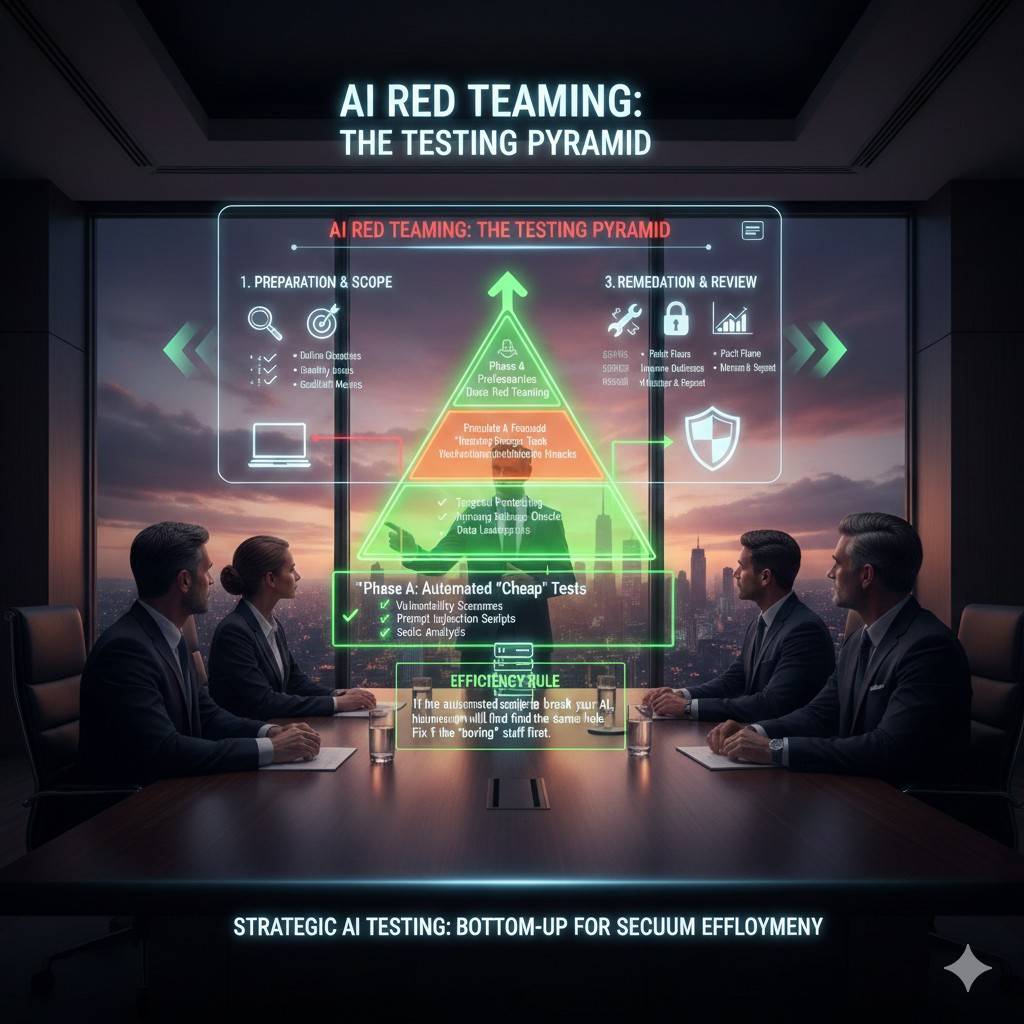
A calm red team starts with low-cost, high-signal tests. These are quick ways to catch obvious gaps.
Examples of cheap tests:
Try simple prompt injections that tell the model to ignore rules.
Try role-play tricks (“pretend you’re my admin”).
Try asking for system prompts.
Try asking it to reveal keys or hidden text.
Try direct requests for harmful actions.
Try confusing questions that mix safe and unsafe intent.
The point is not to get fancy. The point is to see if your guardrails are even awake.
If you find major issues here, stop. Fix them first. Do not keep testing deeper paths yet. Otherwise you will create a long list of failures that all have the same root cause, and your team will drown.
Fixing early makes later testing cleaner and more meaningful.
Step seven: move to “real workflow” tests (where most risk lives)
After the cheap layer is stable, test your real workflows.
This is where you simulate how a real user will use the system over time, not just one prompt.
Think in scenes, like a short story:
A new user signs up and asks a normal question.
Then they ask for something that pushes a boundary.
Then they paste a piece of text that contains hidden instructions.
Then they try to get the AI to take an action.
Then they claim urgency.
Then they try to confuse the AI about who they are.
These workflow tests expose real problems like:
The system follows instructions from a document it retrieved.
The AI confuses a user quote with a user command.
The agent calls tools too easily.
The model “forgets” earlier policy in long chats.
The tool layer does not check permissions.
Safety checks happen after a tool call, not before.
This is also where robotics teams see the biggest gaps, because planning plus tools plus sensors is where the real-world edge cases hide.
A Calm Red Teaming Plan You Can Run Every Week
Start With a Weekly Rhythm That People Can Follow

Red teaming gets messy when it is treated like a one-time event. A calm program is closer to a weekly habit. You pick a small target, you test it hard, you fix what you find, and you prove the fix. Then you move to the next target.
A simple rhythm works best: one short planning block, one focused testing block, and one fix-and-retest block. The goal is not to “finish safety.” The goal is to steadily shrink risk without slowing the product.
Keep The Scope Small On Purpose
If your scope is “all risks,” your team will panic or freeze. If your scope is “one crown jewel and one path,” people can act. Each week, choose one main route into your system and test it like you mean it.
This also helps your logs stay clean. When findings pile up, you still know which system path they came from. That makes fixes faster, because you are not guessing which part of the stack is the real problem.
Treat This Like A Shipping Feature, Not A Side Task

Red teaming only stays calm when it has a clear owner and a clear finish line. The owner decides what will be tested, what counts as a real failure, and what “good enough” means for this release.
If you are early-stage, you may be that owner. That is fine. Just do not let the work float. Floating work turns into chaos, because nobody can close the loop.
And if you want help setting this up in a way that also strengthens your IP story, Tran.vc does exactly that for AI, robotics, and deep tech teams. You can apply anytime at https://www.tran.vc/apply-now-form/.
Pick Test Targets That Match Real Business Risk
Focus On The Moments That Can Hurt You Fast
Some failures are annoying. Some failures end deals. The easiest way to choose targets is to ask, “What could go wrong in a way that customers would never forgive?”
For many B2B products, the answer is simple: data leaks, unsafe actions, policy-breaking content, or actions taken without permission. Start with the issue that would force you into apologies, refunds, or legal calls.
Tie Each Target To A Clear User Story
A good target is not “prompt injection.” A good target is “a user pastes a doc with hidden instructions and the assistant follows them, exposing private notes.” That story gives your testers something real to simulate.
When your targets are written like stories, engineers stop arguing about theory. They can see the path, reproduce the failure, and decide where to block it. This is what keeps red teaming calm.
Don’t Mix Too Many Topics In One Round
A common mistake is testing privacy, safety, bias, and tool abuse in the same round. The results become hard to compare, and the fixes become scattered. You end up with a long list of issues and no sense of priority.
Instead, keep one round focused on one theme. You can rotate themes over time. This approach improves quality and reduces burnout.
Build Test Cases That Don’t Depend On “Tester Talent”
Write Tests So Anyone Can Repeat Them
Red teaming fails when it depends on one clever person who knows all the tricks. If that person is sick, busy, or leaves, the program collapses.
Your test cases should read like clear instructions. A new team member should be able to run the same test and get a similar result. That repeatability is what makes your fixes provable.
Use Plain Inputs That Look Like Real Users
Some teams write tests that are too “security-ish,” full of strange symbols and extreme prompts. Those are fine later, but start with real user language. Most real attacks hide inside normal words, normal urgency, and normal-looking requests.
For example, many prompt attacks are just polite pressure. “This is for my boss.” “This is an emergency.” “I already have approval.” The goal is to see if your system can hold a boundary when the tone is convincing.
Include The Full System Context Every Time
A model can behave well in a simple chat box and fail badly when tools are turned on. So every test case should record the full setup. Which tools are available, what data sources are connected, what role the user has, and what the system message says.
Without this, you will waste time chasing ghosts. Someone will say, “I can’t reproduce it,” when the real reason is that their tool permissions were different.
Score Findings So You Stop Arguing And Start Fixing
Use A Simple Severity Method That Fits Your Team
You do not need a complex scoring framework to begin. You need a shared way to decide what gets fixed now versus later.
A calm method is to score two things: impact and likelihood. Impact is how bad it would be if it happened. Likelihood is how easy it is to trigger. A high-impact, easy-to-trigger issue gets fixed first.
Keep The Discussion About Evidence, Not Opinions
When people disagree about severity, pull the conversation back to proof. Can the tester reproduce it? Can they show the exact input? Can they show the output and why it breaks policy?
This is why your ledger matters. A clean record turns the debate into a decision. It also stops “drive-by” feedback where someone says, “This seems bad,” without showing a real path.
Tie Severity To Business Outcomes
Severity becomes clearer when you connect it to a business outcome. Would this violate a customer contract? Would this break a law or policy? Would this put a person at risk? Would this allow account takeover or tool misuse?
When you frame it this way, leadership support gets easier. You are not asking for “safety work.” You are preventing a business failure.
Fix Issues Without Slowing Shipping
Look For Root Causes, Not Patchwork
A chaotic team patches the prompt every time something goes wrong. A calm team looks for the pattern under the failure.
If the assistant is being tricked by hidden instructions, the real fix might be better content boundaries in retrieval. If the agent is taking risky actions, the real fix might be a permission gate before tool calls. If the model is leaking internal text, the real fix might be changing what is even available for the model to see.
Prompt edits can help, but they are rarely the whole answer. They should be one layer, not the foundation.
Add Safety Checks Where They Actually Matter
Many systems check for bad content after the model already decided to do something. That is too late for tool actions.
A safer design is to check intent before action. If the assistant wants to call a tool that changes data, require a clear reason, confirm the user role, and enforce limits in code. This keeps safety in the system layer, where it belongs.
Prove Fixes With Retests, Not Confidence
A fix is not “done” because an engineer feels good. A fix is done because the same test case that failed last week now passes, in the same system setup.
This retest step is where teams often cut corners. Don’t. Retesting is what turns red teaming from “we tried” into “we know.”
This is also where you can build a strong story for investors and customers. You can show a repeatable method for risk control. If you’re building toward a fundable, IP-rich foundation, Tran.vc can support both the strategy and the execution. Apply anytime at https://www.tran.vc/apply-now-form/.
Move From Manual Tests To A Simple Test Suite
Start Manual, Then Automate Only What Is Stable
Many teams rush to automation and end up with a noisy test suite that nobody trusts. The calmer path is to begin with manual tests until you know which ones are truly important and repeatable.
Once a test case keeps showing up as useful, you turn it into a scripted check. This creates a test library that grows with real value, not with random ideas.
Keep Automated Checks Close To The Product
Automated red team checks are most useful when they run like other product tests. They should run on new builds, flag regressions, and link back to the original risk story.
If your checks live in a separate place that nobody watches, they become shelfware. Keeping them close to the team’s normal workflow is what keeps them alive.
Track Drift So You Don’t Lose Control Over Time
Models change. Prompts change. Retrieval sources change. Tool APIs change. The system can drift into risk without anyone noticing.
That is why a small set of repeatable tests matters. They act like guardrails that alert you when a change breaks an old promise.