
Most AI teams do not fail because the model is “bad.” They fail because something goes wrong in the real world, and nobody can clearly explain what happened, who knew, what they did, and when they did it.
That is what incident reporting is for.
If you are building AI or robotics, you are shipping software that can surprise you. It can drift. It can learn the wrong thing. It can behave well in tests and still break in the field. And when it breaks, the cost is not only a bug fix. The cost is time, trust, customer pain, and in some cases, legal risk.
A good incident report is not paperwork. It is a tool. It helps you move fast without being careless. It helps you protect your users. It helps you protect your company. It also helps you raise money, because strong teams can show they handle risk like adults.
This guide will show you what should trigger an incident report for AI, how to run the clock (timelines that work in real teams), and simple templates you can use right away.
If you are building something technical and defensible, this also ties to IP. Your incident records can help prove what you built, when you built it, and how you improved it. That can matter when you file patents, answer investor questions, or defend your work later.
If you want Tran.vc to help you build a strong IP foundation while you build product, you can apply anytime here: https://www.tran.vc/apply-now-form/
Introduction
Why this matters for AI teams
Most AI teams do not fail because the model is “bad.” They fail because something goes wrong in the real world, and nobody can clearly explain what happened, who knew, what they did, and when they did it.
That is what incident reporting is for. It turns a confusing moment into a clear story that your team, your customer, and your future investors can follow without guessing.
Incident reporting is not paperwork
A good incident report is not a boring form. It is a tool that helps you move fast without being careless.
It also helps you protect trust. When users feel surprised or harmed, they do not want excuses. They want clarity, ownership, and a plan that prevents the same issue from returning.
A note for founders thinking about IP
If you are building AI or robotics, you are also building assets. Your code, model design, training pipeline, and safety steps can become part of a defensible edge.
Clean incident records can support that story. They show how your system evolved, what you fixed, and how you reduced risk over time.
If you want Tran.vc to help you turn your technical work into strong IP from day one, you can apply anytime here: https://www.tran.vc/apply-now-form/
Triggers
What counts as an “AI incident”
An AI incident is any event where your system behaves in a way that creates harm, high risk, or a serious break in expectations.
This includes harm to people, harm to a customer’s business, harm to your reputation, or harm to the integrity of your model. It also includes “near misses,” where the system almost caused a major problem but did not, mostly due to luck.
The simplest trigger rule
If a smart customer would ask, “How did this happen?” you should treat it as an incident.
If an internal leader would hesitate to put the event on a slide for investors, you should also treat it as an incident. That feeling is often your best early alarm.
Safety and physical-world triggers
If your AI touches the physical world, your trigger bar should be lower, not higher.
A robotics system that moves at the wrong time, brakes late, turns the wrong way, or fails to detect a person is not “just a bug.” Even if no one is hurt, you need to record the event and review it with care.
Customer-impact triggers
Many AI incidents are not dramatic. They are quiet, expensive failures that customers notice first.
If a customer’s workflow stops, if they lose time or money, if your AI blocks real users, or if it creates false results that push people to wrong choices, that should trigger an incident report. Even if you can patch it fast, you still need the record.
Data triggers
Data is the fuel of AI, and fuel problems cause engine problems.
If you detect data leakage, wrong labels, broken pipelines, missing logs, sudden changes in input format, or training data that should not have been used, you should file an incident. These issues can quietly distort model behavior and show up later as “random” errors.
Model behavior triggers
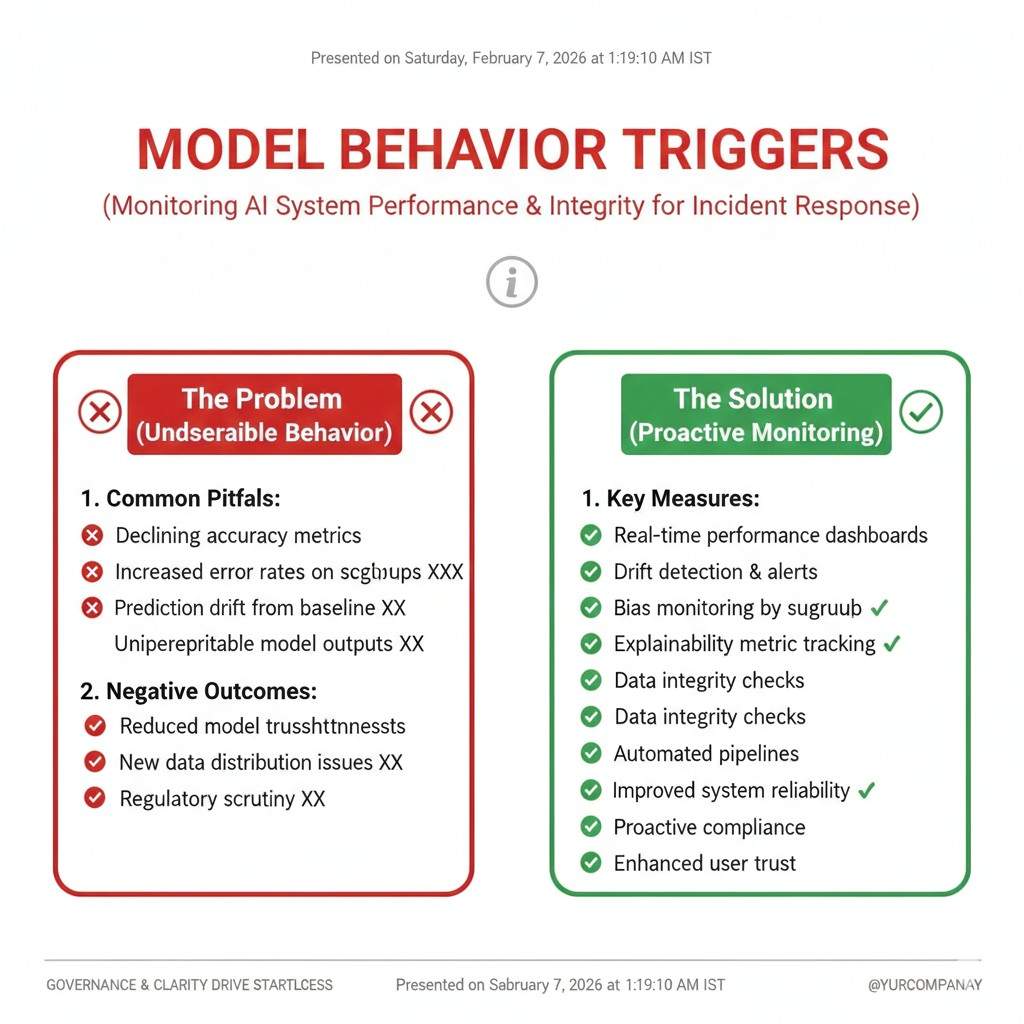
Some triggers are about what the model does, not what the system does.
If you see a sharp drop in accuracy, rising false positives, rising false negatives, or new failure patterns that did not exist before, you should treat that as an incident. Drift is real, and drift is often slow enough that teams ignore it until it becomes a crisis.
Security triggers
AI systems can be attacked like any software, and they can be tricked in ways that normal apps are not.
If you detect prompt injection, data exfiltration, model stealing, abnormal usage spikes, or suspicious inputs that look designed to break your system, that is an incident. Even if you are not sure it worked, the attempt itself is worth tracking.
Privacy triggers
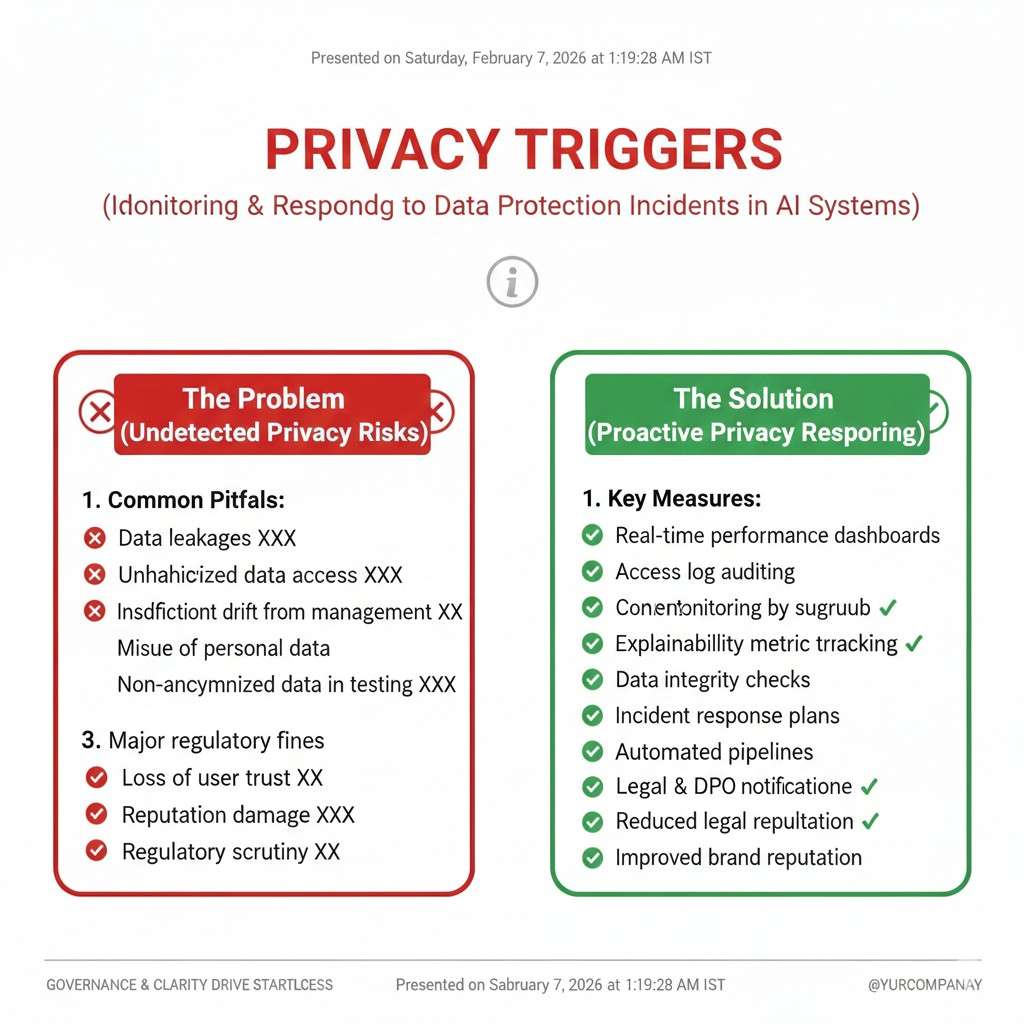
Privacy problems can start small and still become serious.
If the system exposes personal data, stores data it should not store, shares data across users, or reveals private training samples, you should report it as an incident right away. Your response here affects trust more than almost anything else.
Compliance and policy triggers
Even early-stage teams are not “too small” for rules.
If you operate in health, finance, hiring, or other regulated spaces, a model mistake can create compliance issues quickly. If you suspect a rule was broken, or a customer asks for proof of controls, treat it as an incident and document what you know.
Reputational triggers
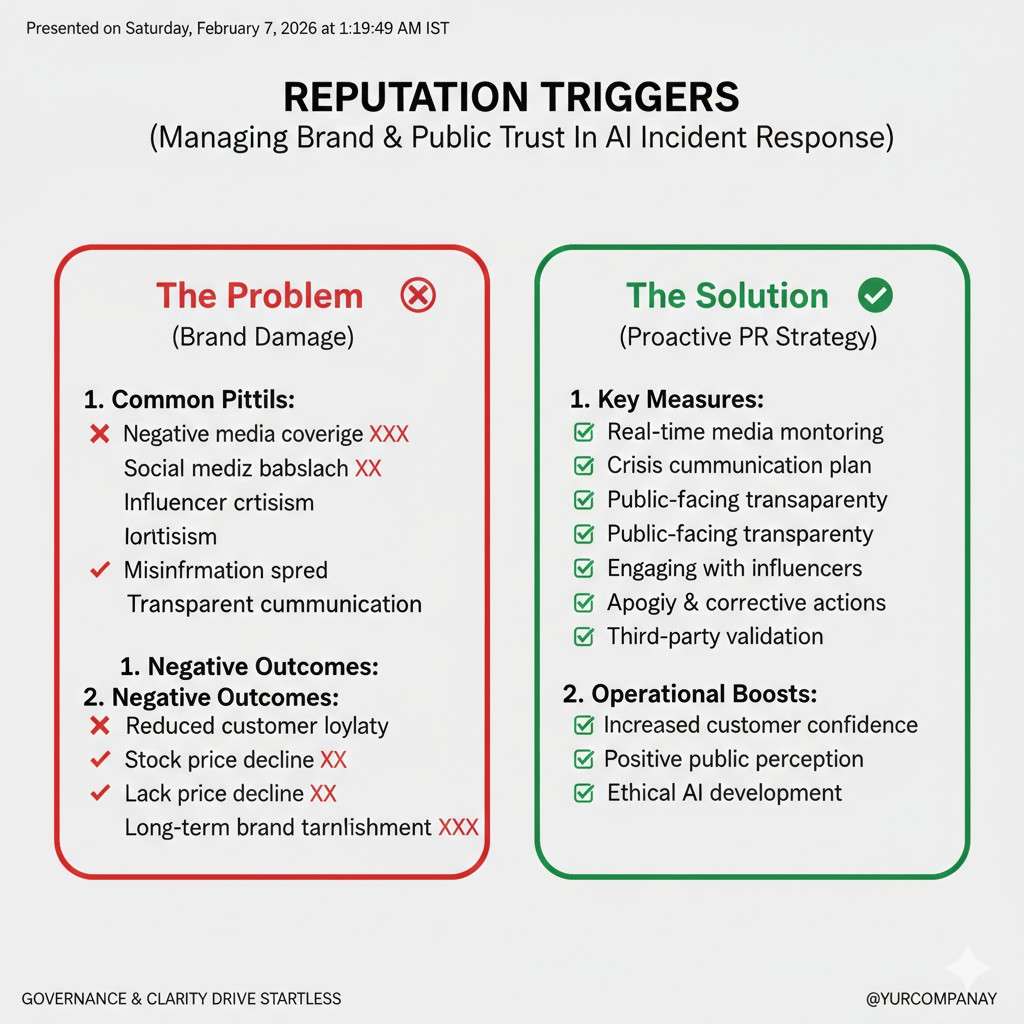
Some incidents do not break the product, but they break confidence.
If your AI produces harmful content, biased results, or outputs that embarrass a customer, that is not a “PR thing.” It is a product incident, because the output is part of the product.
Near misses are not optional
A near miss is a gift. It is evidence without the worst outcome.
If your team says, “Wow, that could have been bad,” you should write it up. Near misses teach you where your controls are thin, and they often predict the next real failure.
A practical way to set trigger levels
Most teams need three levels: record it, escalate it, and declare it.
Record it means you log it and review it later. Escalate it means you pull in a lead the same day. Declare it means you activate your incident process, assign an owner, and start a timeline.
You do not need fancy language to do this. You need consistency, so your team does not argue each time about what “counts.”
Tie-back to building a fundable company
Investors do not expect perfection. They expect maturity.
When you can show that you detect issues early, respond fast, and learn every time, you look like a team that can scale. That is the kind of trust that makes fundraising easier.
And if you want to build an IP moat while you build this kind of operational strength, Tran.vc can help. Apply anytime here: https://www.tran.vc/apply-now-form/
Incident Reporting for AI: Triggers, Timelines, Templates
Timelines
The clock starts when you first learn, not when you first confirm
In AI incidents, the first mistake is often waiting for perfect proof. Teams say, “Let’s confirm,” and then hours pass while users keep getting hurt.
A better rule is simple: the timeline starts the moment a credible signal arrives. That signal might be a customer ticket, a monitoring alert, a strange spike in logs, or an engineer noticing a pattern in outputs. You can mark early details as “unverified,” but you still start the record.
The first 15 minutes: stabilize and stop the spread
In the first minutes, your goal is not deep analysis. Your goal is to reduce harm.
For a model that is producing risky outputs, you may need to turn off a feature, route traffic to a safer fallback, tighten filters, or lower the model’s permissions. For a robotics system, you may need to put it in a safe mode and stop field actions until you understand what changed.
Stabilizing is also about communication inside the team. One clear owner should be named right away, even if that person later hands it off. When nobody owns it, time disappears.
The first hour: create a single source of truth
After you reduce harm, you need one place where facts live. This prevents “telephone” problems where five people share five versions of the same story.
In the first hour, your incident lead should write a short summary that answers four things: what is happening, who is affected, what you have done so far, and what you will do next. This is not a full report yet. It is a living note that gets updated as you learn.
The first four hours: confirm impact and scope with real data
AI incidents feel messy because the impact is not always obvious. A model can fail for only one customer, only one region, or only one data type.
This is why the early hours should focus on scope. You want to know how wide the issue is, how deep it is, and whether it is still happening. Look at logs, compare time windows, and sample real outputs. If you can, reproduce the issue in a controlled environment, but do not block on that if users are still affected.
The first day: fix the problem and protect against a repeat
A fast fix is good, but a safe fix is better.
Many AI teams patch symptoms, then drift back into the same hole a month later. On day one, you want two layers of action. First, the fix that stops the current failure. Second, a guardrail that catches it if it starts again.
A guardrail can be a new monitoring check, an added validation step in the data pipeline, a tighter permission rule, a safer prompt wrapper, or a rollback plan that is easy to trigger. The point is to reduce your dependence on “human noticing.”
The next 3 to 5 days: write the post-incident report while memory is fresh
The best incident reports are written while people still remember what they saw and why they made choices.
If you wait too long, details blur. People forget what they assumed, what they did first, and which ideas they rejected. That is why a good practice is to draft the report within the week, even if a few details still need follow-up.
Two timelines you must run at the same time
AI incidents need both a “response timeline” and a “learning timeline.”
The response timeline is about fast action: detect, contain, fix, recover. The learning timeline is about truth: what failed, why it failed, and what will change. If you only run the response timeline, you move fast but repeat mistakes. If you only run the learning timeline, you learn a lot but harm continues.
Your incident lead should keep both in view, even if different people do the work.
A simple severity system that works in real teams
Most early-stage teams need a severity system, but it must be easy or nobody will use it.
Severity can be based on three things: human risk, customer business impact, and legal or privacy risk. If any one of these is high, the incident is high severity. This matters because severity drives your timeline. Higher severity means shorter update cycles, faster escalation, and more leadership attention.
Communication timelines: internal updates and customer updates
Incidents are not only technical events. They are trust events.
Internally, your team needs steady updates so they do not waste time or cause conflict. A common rhythm is quick check-ins during the active phase, then fewer updates as things stabilize. The update should always include what changed since the last update, not a full retelling each time.
For customers, speed matters, but accuracy matters more. A good early message says what you know, what you do not know, what you are doing now, and when you will update again. Customers do not need every detail, but they do need to feel you are in control.
What to capture during the incident so the report is easy later
If you want incident reports that do not feel painful, capture key details while the incident is still live.
Record timestamps of major actions. Save examples of bad outputs. Snapshot relevant dashboards. Store the exact model version, prompt version, feature flags, and data pipeline version in use. If the incident involves drift, capture baseline comparisons and the time window where the drift started.
This is also where many teams learn the hard lesson: if you do not have the right logs, you do not have the truth. Logging is not a “nice to have” in AI. It is your memory.
Common timeline traps in AI incidents
One trap is arguing about whether it is “really” an incident. That debate burns time and creates bad habits. If a credible signal shows risk, start the process and downgrade later if needed.
Another trap is treating the model like a black box you cannot question. You can question it. You can inspect inputs, outputs, retrieval sources, tool calls, safety layers, and user flows. You can also compare behavior across versions. The “black box” story is often an excuse for missing instrumentation.
A final trap is letting the loudest person run the room. Incidents need calm leadership, not volume. The incident lead should set clear roles, keep updates short, and make sure decisions are written down.
How this connects to building a stronger company
A strong incident timeline shows your team can operate under pressure. That is rare, and it is valuable.
It also helps you build a more defensible product. When you can prove you handle edge cases and safety issues with discipline, you reduce churn and speed up enterprise sales.
If you want help building the IP side of that defensibility—patent strategy, filings, and founder-friendly guidance—Tran.vc invests up to $50,000 in-kind IP services to help you build real leverage early. Apply anytime here: https://www.tran.vc/apply-now-form/
Incident Reporting for AI: Triggers, Timelines, Templates
Templates
The goal of a template is speed, not beauty
A template should make it easy to write the truth without overthinking. It should help a tired engineer capture the key facts, even at 2 a.m.
If your template feels like a school assignment, people will avoid it. If it feels like a checklist that protects the team, people will use it.
Template 1: The “first note” you write in the first hour
This is the fastest document in your system. It is short on purpose. It is meant to be updated many times while the incident is live.
Start with a clear name for the incident that a non-technical person can understand. Avoid vague titles like “model issue.” Use something like “Chat assistant leaked private account info” or “Robot arm mis-detected human presence in Zone B.”
Then capture the time you first learned about it. Write where the signal came from, like a customer ticket, an alert, or a teammate report. These details matter later because they show how your detection works in real life.
Next, write the current status in plain words. Say what is happening right now, not what you think might be happening. If you are unsure, say that you are unsure. Clarity beats confidence when the facts are still forming.
Finally, write what you did to reduce harm. If you paused a feature, rolled back a model, tightened a filter, or moved traffic to a safe fallback, record it with a timestamp. These actions are the spine of the timeline.
Template 2: The incident record you complete after things are stable
Once you have recovery, you need a record that can stand alone. This is what you share internally, and it is what you may draw from when a customer asks for a full explanation.
Begin with a short summary that answers three questions: what happened, who was affected, and what the outcome was. Keep it simple enough that a sales lead could explain it without technical training.
After the summary, describe the impact with real numbers when possible. Say how many users were affected, how long the issue lasted, and what kind of harm occurred. If harm is hard to quantify, describe it clearly with examples. Avoid soft words that hide the truth.
Then describe how you detected the incident. Explain whether the team found it through monitoring, customer reports, or internal review. If a customer found it first, say so. This is not about blame. It is about improving detection next time.