
You don’t need big revenue to prove you’re real. Early on, the right small numbers can do the heavy lifting. The key is to track moments that show value lands fast, that users return on their own, and that your product gets safer and cheaper to run each week. Clear, simple metrics turn a tiny base into a story people trust.
This guide shows you which signals matter at pre-seed and seed, how to define them in plain words, how to measure them without a data team, and how to present them so a partner can retell your story in one slide. We’ll keep it practical and calm—built for founders who ship every day and need proof that travels.
If you want a hands-on partner to protect the method behind your best numbers, Tran.vc invests up to $50,000 in in-kind patent and IP services for AI and deep tech teams. Apply anytime at https://www.tran.vc/apply-now-form/.
Activation That Proves Value Fast

Activation is the first real win a new user reaches. It is not a login. It is the moment the product does the job it promised. When you define it in plain words and measure it the same way each week, you turn small trials into proof that travels.
Define the first win in buyer language
Write one short line that a customer would use on a busy day. Say what happened, not what they clicked. “Drafted a clean spec from messy notes in under ten minutes,” or “Flagged a bad record and fixed it with one click.” Simple words remove debate and help your team focus on the right problem.
Keep the definition strict. A half-win is not a win. If the user needed your team on a call, tag it as “assisted,” not “activated.” Truth here sets the tone for everything else, because investors read strict rules as control.
Show the definition on the slide itself, in tiny type. When someone asks “what does activation mean,” you point to the line and keep moving. You look ready because you are.
Measure rate and speed together
Track the share of new accounts that hit the first win and the median time it took. Time matters. A small product that delivers value in minutes is stronger than a bigger product that takes a week.
Group users by the week they started. Read cohorts, not a rolling average. Cohorts show cause and effect. A line that climbs right after a change is a clean story.
Save one screen or clip per cohort. A real image next to a number calms rooms. It says, “this is not a guess; this is what happened.”
Shorten time to value with tiny moves
Preload the common case so a new user can press one button and see a safe result. Small defaults remove fear and reduce setup time.
Add a dry-run view for any action that feels risky. Showing the outcome without side effects turns hesitation into action.
Save state after the first win and land people back on last good settings. A faster second win is your next best signal after activation itself.
Retention That Shows Habit, Not Hype

Retention is proof that users come back on their own. It is quiet and strong. When you show a clean tail on a cohort curve, you tell a room that base revenue will grow when you choose to charge more or expand.
Pick an “active” event tied to the job
Active should be the core task repeated, not a login. “Generated a fresh spec,” “cleaned a batch,” “scored a lead,” or “ran an analysis.” The event should carry value every time it happens.
Write the event in one simple sentence at the top of the chart. Use the same words in product, docs, and support. Shared language prevents drift in both code and charts.
If you sell to teams, also define account-level active in behavior terms. “Any teammate completed a new run this week.” Billing can come later; behavior is truth now.
Plot cohorts with a readable tail
Show the line for users who started in the same week. Let the eye see the first drop and the flat tail. Label the tail value. “Week eight tail ~31%.” That one number is your habit story.
Place two date tags at points where the line improved. “Kept presets,” “added confidence badge.” These tags link craft to outcome and make your growth feel earned.
Avoid rainbow charts. One or two lines are enough. The goal is clear reading, not art. If someone wants all cohorts, keep them in an appendix.
Lift the tail with safety and speed
Reduce fear with clear cues. If an action can fail, show a badge that says when it is safe to proceed. Safety drives habit because it removes second-guessing.
Reduce friction with memory. Land users where they left off, with the right inputs in place. People return to tools that remember them.
Reduce time with one-click repeats. If yesterday’s flow worked, let them run it again fast. Habit forms when a second win feels almost automatic.
Time to First Value You Can Defend

This clock starts when a user signs up and stops when they reach their first real win. It is a simple, strong signal. It also gives you many places to shave minutes without big builds.
Start and stop the clock the same way
Start at the moment the user can act alone. If a setup call is required, start after the call. If the app is self-serve, start at sign up. Be strict and write the rule on the chart.
Stop at the first win as you defined it earlier. Do not stop at a tour or a partial save. If the product did not do the job, the clock keeps running.
Use the median, not the mean. A few very long runs will skew an average and create noise. The median reflects the typical experience a new user will have this week.
Show what you removed, not just the number
Add small labels for changes that shaved time. “Auto-detect on import,” “sample dataset,” “guided first run.” Each label should match a real release note with a date.
Pair the chart with one screen that shows the new step. When a room can picture the change, they believe the slope.
Track “assisted” vs “unassisted” runs. The unassisted median is the number that proves your product carries the weight.
Turn minutes saved into price and trust
Use this clock to set a small first fee. If you save two hours a week, a fair starter price feels obvious. Calm pricing beats long debates.
Use this clock in sales to set expectations. “You’ll see the first real result in under fifteen minutes.” Hitting that mark builds trust that lasts through security and legal.
If one method keeps shaving time—like a preset sequence or a unique validator—capture it as steps and consider filing. Protected speed becomes a moat.
Depth of Use That Predicts Expansion

Depth shows if people are doing real work, not just poking around. It is about the number of meaningful runs, the size of each run, and the spread across a team. Deeper use now becomes upsell later.
Measure meaningful runs per account
Count only runs that match the job. Ignore test clicks. A “meaningful run” should change a record, create an asset, or trigger a downstream step.
Plot the median meaningful runs per account by week. The slope matters more than the level in early days. A slow, steady climb says teams are weaving you into their week.
Mark when you added features that reduce context switching. “Auto-export to CRM,” “push to Slack,” “download as PDF.” These moves often drive depth more than brand new modules.
Track size and variety of runs
Size can be items processed, words drafted, or fields fixed per run. Pick one unit and keep it stable. Bigger runs with the same error rate mean more value per click.
Variety shows range. If users tackle more use cases over time, your wedge expands inside the same account. Range without new clicks is gold.
When size or variety jumps, tie it to a small change. “Template gallery,” “saved filters,” “role-based presets.” These are cheap to ship and rich in impact.
Watch team spread and role mix
Depth grows when more roles touch the tool. Count unique active users per account and note their roles. Adoption beyond the first champion predicts expansion dollars.
Notice which role lags. If reviewers return less than creators, add cues or shortcuts for reviewers. One small fix can unlock a second seat per account.
Ask champions what would help their peers start. Many will ask for a quick video, a single-click invite, or a clearer permission. Ship it and watch the line.
Quality Metrics for AI That Humans Trust

AI needs proof that results are accurate and safe. You can show this early with simple, honest measures that map to what people feel in the product. Keep the math tight and the language plain.
Choose one core quality metric per job
Pick the unit that matches the task. For generation, measure accept rate without edits, or edits per hundred words. For classification, use precision and recall on a small, clean set. For ranking, use top-1 agreement with a human on hard cases.
Write the metric in a single sentence on the slide. “Accept rate = % of drafts sent as is.” Rooms relax when terms are clear.
Keep a tiny “gold” set that you hand-check each week. Perfect labels beat big, noisy sets at this stage.
Measure error by cause, not just total
Tag misses with a simple reason: hallucination, outdated source, missing field, ambiguous prompt. Cause tags tell you what to fix next.
Show a small stacked bar with cause shares. Then show the one fix you shipped and the cause that fell. “Source pinning → hallucination down.”
For models that act on live data, log defers where confidence is low. A healthy defer rate is a safety signal, not a weakness.
Tie quality wins to product behavior
When accept rate rises, show the UX change that made it happen. “Inline citations,” “highlighted diffs,” “ask-before-apply.”
When precision jumps, show the data recipe or retrieval tweak that did the work. If the method is novel and practical, capture it as steps and consider filing.
Use the same cohort windows as your activation and retention slides. Stable windows turn separate metrics into one story.
Cost to Serve You Can Lower Weekly
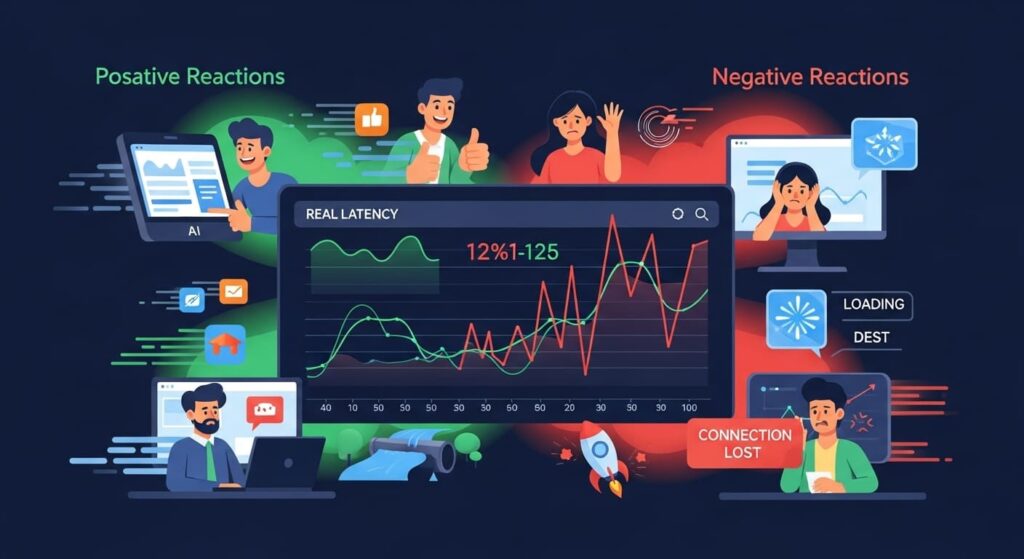
Your costs should fall as you learn. You don’t need a big finance model to show this. A few simple measures—logged the same way each week—prove you can serve more users for less without cutting corners.
Track, reduce, and prove with plain numbers
Start with three numbers: compute cost per active account, storage cost per active account, and minutes of human assistance per activation. Keep the window stable (weekly) and write each equation on the chart so anyone can recalc it later. Stability and transparency make small drops believable.
Ship one lever at a time, then watch the slope. Quantization, batch calls, cache keys, and smarter polling often cut bills fast. Label each change with a date on your chart. “Added cache—Jan 12 → cost/active −34%.” Dates turn engineering into proof that travels.
Close the loop with a tiny note in your deck: “Cost per active fell while activation rose.” Falling unit cost with rising use is the story investors want. If a unique scheduler or cache recipe drove the win, capture the steps and consider filing; protected efficiency becomes a moat.
Latency and Uptime Users Actually Feel
Speed and stability shape trust. Users remember “it was instant” and “it never failed” more than they remember features. Measure what the human feels, not just server dashboards.
Measure where eyes and hands are
Track median and p95 “time to first visible result” for core actions, not request/response timings buried in logs. If the UI renders a skeleton, stop the clock only when useful content appears. This keeps the metric honest.
Pair latency with a simple success ratio: runs completed without retry, error, or defer. Group by week so you can see cause and effect when you ship changes. A visible drop in p95 with a stable success rate reads like control, not luck.
Tie a small UX change to the curve. Inline progress, partial results, or streaming tokens often cut perceived latency more than backend tweaks. When a method consistently keeps p95 low under load—say, a queueing policy—write it as steps and protect it.
Support Load per Active Account
Great products turn questions into product changes, not headcount. This metric shows that support effort falls as usage grows, which hints at margin and fit.
Count causes, not tickets
Log tickets by cause: setup, trust, data import, billing. Then divide total tickets by active accounts. A rising denominator with a flat or falling numerator is your signal.
Fix the top cause with product every sprint. A clearer label, a safer default, or an import sample often beats a new feature. Publish the change with the same weekly cadence and chart the drop by cause.
Add one line to your update: “Trust tickets down 62% after confidence badge.” Quiet, dated deltas build more belief than long narratives. If a repeatable “trust loop” removes whole classes of tickets, capture it and consider filing.
Pipeline Quality Without Hype
A short, true pipeline tells a better story than a long, soft one. You want to show that deals move because your proof is tight and your first paid step is easy.
Define qualified once, apply everywhere
Write one rule: “Buyer with the pain, path to budget, next step dated.” If any part is missing, it is not qualified. Apply this rule to partner intros, cold inbound, and founder-led meetings the same way.
Show days per stage for the last five wins: discovery → sandbox → shadow/dry run → tiny paid step. Label the fix that cut time. “One-page pilot order −11 days.” Time saved is a non-revenue metric that feels like revenue.
Attach one artifact to each deal: a 20-second clip, a sandbox bundle, or a redacted MOU/LOI line. Files end debates inside the buyer and shorten cycles. Short cycles plus artifacts = real pipeline.
Conversion to Paid (Time to First Dollar)

You don’t need big ARR yet. You do need a clean clock that shows how quickly belief turns into a small payment.
Start at the first qualified call, stop at cash
Use the rule above for “qualified,” then start the clock. Stop it only when money hits (even a pilot fee). Plot the median by month and keep definitions frozen so trends are honest.
Cut the clock with light paper and safety clarity: a one-page pilot order, a one-page security/safety note, and a tiny FAQ. Pin each doc’s release date on the chart so the drop is causal, not coincidental.
Set a fair starter fee against one outcome you already moved (minutes saved, errors reduced). Clear, modest fees move faster—and give you a slide that reads “near dollars now.”
Expansion Health Inside Accounts
Depth today becomes dollars tomorrow. Expansion health tells you if more people and more use cases are taking root inside each logo.
Watch seats, roles, and use cases
Track unique active users per account by role (creator, reviewer, approver). A spread from one champion to two roles is the first expansion signal.
Count distinct use cases run in the last month. If variety climbs without new clicks, your wedge is widening inside the same workflow—a high-quality expansion path.
Mark the small feature that unlocked the jump (template gallery, one-click invite, role-based presets). Cheap moves here often beat heavy new modules.
Product Velocity with Dates (Not Drama)
Shipping is a metric. Not just how much, but how often you move the numbers that matter. Public, dated notes create trust because they make motion visible.
Log one change, one metric, one image
Each week, publish a single line: date → change → metric moved. Add one screenshot. “Jan 18 — auto-preset → activation +8 pts.” The rhythm matters more than size.
Show misses with the same honesty: “Jan 22 — auto-threshold: no lift, rolled back.” Calm rollback beats spin. It signals quality and care.
When a change that moved a metric comes from a unique method—retrieval trick, preset sequence, arbitration—you’ve discovered an engine. Write the steps in plain order and protect it. Velocity + moat stands out.
Link Metrics to IP Without Legalese
Your best curves usually sit on a method you invented. Name it in simple steps. File it early. Mention it lightly on slides. This connects traction to moat.
Find the engine behind each lift
Ask, “What exact step made this curve move?” Write inputs → transforms → checks → fallbacks. Keep it human: what happens, in what order, under what bounds.
Confirm with before/after logs or clips. Evidence turns a hunch into an asset. Attach the artifact to the method note so counsel and investors see utility.
Place a quiet footer where relevant: “Method: glare-safe preset (provisional filed).” One calm line tells the whole room that your gains are defensible, not fragile.
Pricing That Feels Fair and Moves Fast

Price is not a guess. It is a calm story that ties your product to one clear outcome. When your price feels fair on day one, deals move. When it scales with value, renewals stick. You can shape this early with simple choices that match how buyers think.
Anchor to the outcome the buyer already tracks
Start with one number your customer cares about each week: minutes saved, errors fixed, or safe actions completed. Use their unit, not yours. If a manager reports minutes saved per team, speak in minutes. If a lead cares about false rejects, speak in rejects avoided. This match cuts debate because the buyer sees price next to a number they trust.
Write the anchor sentence in plain words. “Fee covers a two-week run to cut re-teach minutes by half.” Keep it short. Short lines travel inside the company. Long lines die in threads.
When the outcome shows up during a pilot, restate it with the measured result. “Cut 47% across five shifts.” Tie the same sentence to your first invoice. Now price is an echo of proof, not a new idea.
Choose a clean unit and keep it stable
Pick a unit that mirrors how the buyer budgets: per line, per device, per seat, or per team. If your tool helps a process, “per line” is simple. If it helps a person, “per seat” is simple. Simplicity shrinks legal and speeds payment.
Avoid stacking many units. One clean unit beats a menu. If you need tiers, base them on the same unit and one clear boundary. “Up to two lines,” “up to five lines.” People approve what they can retell in a sentence.
Stick with the unit for a quarter. Stability lets you watch conversion and expansion without noise. When you change, write down why and what you saw. That note becomes a strong slide later.
Test and tune gently, with one lever at a time
After three fast “yes” decisions, try a modest lift on the next two deals while keeping scope the same. Small moves show the ceiling without breaking momentum.
If pushback appears, ask which part felt heavy: unit, scope, or amount. Change only one. When you change two levers, you learn nothing and confuse your buyers.
Log each change with date and result. “Raised per-line fee 12% → no change in close time.” These small, dated notes read like control. Control is what investors look for when ARR is still young.
Tell a Cohort Story People Remember
Cohorts make growth feel true. They show how each week’s users behave over time. When you label cohorts with the changes you shipped, rooms see cause and effect, not luck. This turns tiny bases into a story that carries.
Pick one stable lens and hold it
Choose weekly cohorts for trials and monthly cohorts for accounts. Put the lens in tiny type on the slide. “Users who started in Week 3.” Stability makes patterns obvious and kills debates about smoothing.
Show only the last eight to ten cohorts. More is clutter; less hides shape. Your goal is a quick read: first drop, flat tail, and where the curve lifts.
Freeze definitions for a month. If you redefine “active,” write the date and the reason. Honest change builds trust. Quiet change breaks it.
Label changes with dates, not adjectives
When a curve rises, tag the point with the fix: “kept presets,” “added confidence badge,” “auto-detect on import.” Use five words or fewer and include the date. Dates make learning visible.
Pair labels with small screenshots in the appendix. A real image next to the tag ends questions fast. It also helps your champion retell the story internally.
Keep labels literal. Avoid “v2” or “revamp.” Say what changed for the user. “One-click repeat” is clearer than “workflow upgrade.”
Segment once to show fit, not twice to confuse
Add a second curve for the one segment that matters: a role, a channel, or a use case. If the “right” users stick better, the room sees focus, not narrowness.
Explain the gap in plain words. “Shift leads retain higher because dry run removes fear.” Human truth anchors the chart.
End the slide with one small next step aimed at the lower line. “Make reviewer approve in one tap.” When you show the next cohort with that lift, your curve turns into a plan.
Security in One Page (That Actually Gets Read)

Security stalls when answers are vague or long. A single page in plain words can clear most early reviews. It should say what you sense, what you store, who can see it, and for how long—nothing more, nothing less.
Draw the boundary in calm language
Write one paragraph that states what your system does and does not do. “We read text and metadata; we do not store raw documents beyond X days; we never write to your systems without a manual confirm.” Boundaries reduce fear because they set edges.
Add a simple diagram: inputs, processing, storage, and outputs. Mark encryption at rest and in transit. Show role-based access with two boxes: “customer” and “vendor.” Pictures cut email chains in half.
Name the default retention and the strictest option. Defaults move fast; strict options win tough rooms. Offering both signals respect and control.
Answer the ten common questions in two lines each
List encryption, access, logging, regions, backups, deletion, incident response, vendor access, PII handling, and audit. Keep each answer to two sentences. This fits the whole FAQ on one page.
Avoid jargon. If you must name a standard, add a short clause: “Logs retained 30 days; customer can request export.” Plain words travel inside the buyer’s org without you.
Date the page. When you update a control, bump the date and note the change. Timelines show maturity and speed follow-ups.
Keep proof light but real
Attach one log sample with redactions and a timestamp. Seeing the grain of the data builds more trust than a logo wall.
Attach one screenshot of role permissions. “Viewer,” “Editor,” “Admin” in plain words settle nerves faster than a paragraph.
If you built a privacy method that gets the same insight with less data, document the steps and consider filing. Useful privacy becomes both a sales win and a moat. Tran.vc can help you protect it while you sell.
Build a Tiny Data Room People Will Use

Big folders scare busy people. A tight data room wins because it is fast to read and easy to forward. You need only the files that prove value, safety, and motion—and all of them should be dated and named clearly.
Include only what travels inside a firm
Add one architecture page, one security page (above), one short safety note if you touch the physical world, three 20-second proof clips, two one-page before/after memos, your metrics definitions, and a one-page pilot order. That’s it.
Each item should answer one common question and stand alone. If a file needs your voiceover to make sense, rewrite it shorter.
Put a short README on top with a two-line map and update dates. Reviewers open the right things first and leave with fewer doubts.
Name and date everything like a pro
Use boring, findable names: Activation-Cohort-2025-01.pdf, Pilot-Changeover-Clip-2025-01-15.mp4. Clear names get opened on phones and forwarded in threads.
Stamp “Updated 2025-01-15” in the footer of each PDF. Dated truth beats undated claims in every room.
Keep versions shallow. Replace files in place instead of stacking “v7_final_final.pdf.” You want one source of truth, not a maze.
Refresh one item per month—no more
Swap in one fresher clip or chart each month. Leave the frame the same. Change pops when the container stays stable.
Note the change in the README with one line: “Cohort updated with Jan 12 dot; activation +7 pts after dry run.” This turns your room into a living log.
If a clip or memo keeps winning meetings, tie it to a method and filing. Proof that endures should sit on assets you own. Tran.vc can help convert those into strong claims.
Two-Slide Summary Anyone Can Retell
People forward short decks. Your goal is two slides that a partner can carry into a meeting without you and still get a “yes” to a next step. Keep the frame stable and the language plain.
Slide A: Proof under real limits
Top line: the job in customer words. Under it: three boxes—Activation, Retention, Quality/Safety. Each box gets a target, a result, a constraint, and a tiny still image. The eye sees value land and stick under honest bounds.
Add two tiny date tags on the charts where you shipped a change that lifted the line. Labels make cause and effect visible.
In the footer, place a quiet note: “Method: glare-safe preset (provisional filed).” You just linked outcome to moat in six words.
Slide B: Motion toward dollars
Left: two dated release notes with the metric each moved. Right: a small table of qualified pilots with next-step dates and amounts. Bottom: median days to first dollar with one date tag “one-page order.” The page reads like speed with control.
Finish with your tiny paid step: scope, guardrail, metric, owner, start date. Clear, small asks get yes. Vague asks stall.
Use the same frame in updates. Paste new dots monthly. Familiar shapes make change obvious and trusted.
Keep assets one click away
In the appendix, store one 20-second clip per claim, the security page, the pilot order, and a redacted LOI/MOU excerpt. Answers by file beat answers by adjectives.
Name files so a champion can find them a month later. Many approvals happen in rooms you do not enter.
If a method sits behind the best chart, include a one-page sketch of the steps (inputs → checks → fallbacks). This helps counsel see utility and helps investors see durability.
Conclusion: Small, Honest Numbers Win Early
You don’t need noise. You need a few clean signals that match the job: a fast first win, a tail that holds, quality users trust, falling cost to serve, and a short path to first dollars. Define each in one line, measure them the same way every week, and tie every lift to a dated change. Save one screen or clip for every claim. When your charts read like a lab log, not a brochure, partners feel control. Control beats hype at pre-seed and seed.
Keep your loop tight. Make the second win faster than the first. Cut fear with clear guardrails. Turn support questions into product changes. Anchor price to one outcome the buyer already tracks. Use cohorts so cause and effect is obvious. When a unique method sits behind your best lifts—your preset, your retrieval trick, your arbitration loop—write the steps and protect them. Traction plus moat is the story that travels.
If you want a hands-on partner for this, Tran.vc invests up to $50,000 in in-kind patent and IP services for AI and SaaS teams. We help you pick the right metrics, file around the engines that move them, and package proof in two slides people can carry into any room. If that’s your next step, apply now at https://www.tran.vc/apply-now-form/.